SMS Verification Number: How to Get Codes Online Safely

An SMS verification number is the phone number you give a website or app so it can text you a one-time code. You type that code back in, and the site treats your number as confirmed. If you do not want to hand your personal mobile to every sign-up form, you can use an online number instead. This guide explains how SMS verification works, which accounts are safe to verify with an online number, why codes sometimes never show up, and how to receive a code on VirtualWebPhone step by step.

SMS verification numbers on this site
Use a free shared US number for one-time codes on low-risk sites. Use a private number when the code should only reach you.

What an SMS verification number is

SMS verification is the step where a service sends a short code, usually four to eight digits, to the number you entered. The code proves that you can receive texts at that number right now. Sites use it to slow down fake sign-ups, to confirm a new account, and sometimes as a second step when you log in.

Any number that can receive a text can, in principle, be an SMS verification number. In practice there are three kinds: the mobile number from your phone carrier, a private online number that only you can read, and a free shared online number whose inbox is public. They all receive texts, but services treat them differently, and the risk to you is very different too.

On VirtualWebPhone, each free US number has its own page. Every text sent to that number appears on the page, and anyone who opens it can see the same messages. The private number is held for you for the month you pay, and its texts are not posted publicly. Both are online numbers, not a SIM card in your phone.

Three numbers you can verify with

Free shared number
No cost, no signup, no app. The inbox is public, so only use it for a code that would not matter if a stranger saw it.

Private online number
A US number kept for you for the month, about $20, paid with crypto. Codes are not shown on a public page.

Your own mobile
The right choice for banks, payment apps, WhatsApp, Google, your main email, and anything you must recover later.

How SMS verification works behind the scenes

Knowing what happens after you press “Send code” explains most failures. The process usually looks like this:

  • The service checks the number. Many services look up what kind of number you entered before they send anything. Some refuse online or shared numbers at this point, and you may see an error such as “this number is not supported”, or nothing at all.
  • The code is sent. The text travels through an SMS provider to the number. This normally takes a few seconds, but it can take a minute or two.
  • The code expires. Most codes are only valid for a short time, often a few minutes. An old code will be rejected even if you type it correctly.
  • The number is remembered. Many services link the number to your account. They may use it again for login checks or password resets, which is why the number you choose matters long after the first code.

When an online SMS verification number works

Good fits: accounts you can afford to lose, where the phone number is only a gate at sign-up. If someone else seeing the code, or you losing the number next month, would not hurt you, an online number is a reasonable choice.

Forums, newsletters, and trial accounts

Plenty of sites ask for a number just to let you post, download, or try a feature. A free shared number gets you past the form without adding your real number to another marketing list.

Testing your own app or website

If you build a product that sends text codes, a few online numbers let you check that messages go out and arrive, without using your personal phone for every test.

Short-term accounts you will use privately

For an account you will keep for a few weeks, such as a booking, a marketplace profile, or a side project, a private number is the better pick. The code reaches only you, and you can keep the number for the month you pay.

When it fails, and when you should not try

Poor fits: banks, payment and money apps, WhatsApp, Google accounts, your main email, crypto exchanges, government and tax portals, and anything tied to your identity or money. Banks, WhatsApp, and Google often reject shared numbers. Even if a code does arrive on a free number, anyone viewing that page could use it.

There are two separate problems here. The first is acceptance: many larger services block online and shared numbers, so the code is never sent. The second is safety: if a code for an important account does get through on a public page, a stranger could use the same number to request a password reset later. For accounts that matter, use a number that only you control, ideally your own mobile.

If you live outside the US but keep US bank or tax accounts, an online number is usually not the answer for those logins. Ask the bank which numbers and sign-in methods it supports, such as an authenticator app, and keep a number you will control for years.

How to receive an SMS verification code on VirtualWebPhone

1
Decide how much the account matters. Throwaway account: free number. Account you will keep or that holds anything personal: private number or your own phone.
2
Open the free temporary US phone numbers and pick one that shows recent messages. Recent texts mean the number is live.
3
Copy the number exactly and choose United States (+1) as the country on the sign-up form. A wrong country code is one of the most common reasons a code goes nowhere.
4
Press “Send code” once, then go back to the number’s page and refresh after about 30 seconds. Look for a message that names the service you are signing up for.
5
Enter the newest code quickly, before it expires. If several codes are showing, use the latest one with the right service name, since other people may be using the same number.
6
Once you are in, open the account settings and switch the phone number to one you control, or add an authenticator app, if you plan to keep the account.
Tip: keep the sign-up tab and the number’s page open side by side. Codes often expire within minutes, and switching quickly makes a real difference.

Why the verification code never arrives

  • The service blocks online numbers. This is the most common cause. If it refuses one free number, it will usually refuse the others too.
  • The number has been used too often. Services may stop sending to a number that many people have already used to sign up.
  • Wrong country or format. Check that the form is set to +1 and that no digit was dropped when you pasted.
  • You pressed resend too many times. Many services pause sending after several requests. Wait a few minutes before trying again.
  • The code arrived, but expired. Request a fresh code and enter it right away.

A sensible rule: try one other live number. If that also fails, the service is blocking shared numbers. A private number may work where a shared one does not, but no number is guaranteed to be accepted, because each service sets its own rules.

Some apps do not use SMS at all after sign-up. Telegram, for example, often sends the code to an app you are already logged into, to a login email, or to Fragment for +888 numbers. Our Telegram without a phone number guide walks through each screen.

Free vs private SMS verification number

 
Free shared
Private
Cost
Free
About $20 a month
Who can see codes
Anyone on the page
Only you
Payment
None
Crypto
Same number later
Not guaranteed
For the month you pay
Best for
One-time codes on low-risk sites
Accounts you want to keep private
Private US verification number
About $20 a month, paid with crypto.
Your private number is not listed on a public page or shared with other visitors, so verification codes reach only you. Some services that turn away a shared number will accept it. It is still an online number, not a carrier mobile line, so no app is guaranteed to accept it. Stop renewing when you no longer need it.

What to avoid

  • Do not verify a bank, payment app, WhatsApp, Google, or your main email with a free shared number.
  • Do not leave a shared number as the recovery or two-step login phone on any account you plan to keep. Whoever opens that page later could receive your reset code.
  • Do not request codes over and over. It can get the number paused for everyone and lock you out for a while.
  • Do not believe anyone who promises a number will work on every app. Each service decides which numbers it accepts.
  • Do not use verification numbers to create fake accounts, dodge bans, run scams, or break a site’s rules. Use them legally and the way the site allows.
  • Do not share codes or screenshots of the inbox in public chats or forums.

More guides

SMS verification number: short answers

Can I get a free SMS verification number?
Yes. The public US numbers on VirtualWebPhone are free and need no signup. They are shared, so anyone can see the codes.
Will it work for any app?
No. Each app decides which numbers it accepts. Banks, WhatsApp, and Google often reject shared numbers.
How long does a code take to arrive?
Usually seconds, sometimes a minute or two. Refresh the number’s page after about 30 seconds.
Why does the site say my number is not supported?
The site checked the number type and refuses online or shared numbers. Use a different number type, or your own phone.
Is it safe to use a shared number for verification?
Only for accounts you can afford to lose. Never for money, identity, or your main email.
Can I receive a code again later on the same number?
Free numbers can leave the list at any time. A private number is yours for each month you pay.
How much is a private verification number?
About $20 a month, paid with crypto, on the private number page.
Is using an online number for verification legal?
Using a second number for privacy is legal and common. Using it for fraud, fake accounts, or ban evasion is not, and it often breaks a site’s terms.

Burner Phone Number: How to Get One Free and When to Go Private

What a burner phone number is, when it works, when it fails, and how to get a free or private US burner number online in a few steps.

A burner phone number is a second number you give out instead of your real one, then drop when you no longer need it. People use one to sign up for a site, list something for sale, talk to a new match, or get a one-time code without letting a stranger or a company keep their personal mobile. This guide explains what a burner number really is, where it helps, where it breaks, and how to use a free or private US number on VirtualWebPhone the right way.

Burner numbers on this site
Grab a free shared US number for quick, low-risk texts. Choose a private number when the messages should stay yours.

What a burner phone number means

The name comes from the “burner phone”: a cheap prepaid handset that someone uses for a while and then throws away. A burner phone number keeps the same idea but skips the extra device. It is simply a number that is not your main line. You hand it out where you do not want to share your real number, and you stop using it when the job is done.

Today most burner numbers live online. Instead of a SIM card in a drawer, you read the texts in a web browser. That makes them fast to get and easy to walk away from. It also means they behave differently from a normal mobile number, and that difference matters when an app decides whether to send you a code.

On VirtualWebPhone there are two kinds. The free numbers are public inboxes: every number has its own page, and each text sent to that number appears on the page for anyone to read. The private number is reserved for you for the month you pay, and its messages are not posted on a public page. Both are online numbers. Neither one replaces the mobile number you use for your bank or your family.

Three ways to keep your real number private

Free burner number
A shared public inbox. No cost, no account, no download. Anyone who opens the page can read the same texts, so use it only for messages you do not mind strangers seeing.

Private burner number
A US number held for you for the month you pay, about $20, paid with crypto. Texts are not shown on a public page. Let it lapse when you are done.

Your real mobile
Keep it for banks, payment apps, WhatsApp, Google, your main email, and anything you will need to log back into months from now.

When a burner phone number works well

Good fits: short-term contact with people or companies you do not fully trust yet, and one-time codes for accounts with nothing valuable in them. The common thread is that losing the number later would not hurt you.

Sign-ups and free trials

Many sites ask for a phone number before they let you read an article, download a file, claim a coupon, or start a trial. Often they just want a way to send marketing texts. A burner number gets you through the form without adding your real number to another mailing list. If the site later sells or leaks its contact list, your personal phone is not on it.

Marketplace and classifieds listings

When you sell a couch or a used bike, your number ends up in front of a lot of strangers. Some are real buyers. Others are spammers or people trying a scam. A burner number puts a layer between them and your real phone. Once the item is gone, you stop checking the number and the messages stop reaching you. For listings where buyers will text you back and forth, a private number is the better pick, because on a free shared number those replies would sit on a public page.

Online dating

Moving a chat off a dating app usually means swapping numbers. Until you have met someone and feel comfortable, a separate number lets you keep talking without handing over the line that is linked to your name, your other accounts, and your home address in some public records. Use a private number here, not a free one. Personal conversations should never land on a page other people can open.

Deliveries, pickups, and bookings

Restaurants, salons, delivery forms, and one-off contractors often require a phone number for a single update. A burner number covers that one message and keeps you off their long-term contact list. Pick a number you will still be able to check on the day the update is sent.

One-off verification codes

Some forums, test accounts, and low-stakes apps send a single text code to prove you are a real person. If you will never need to recover that account by phone, a free burner number can receive the code. Our guide to using a free phone number for verification covers this case in more detail.

Keeping your real number off the internet

Every form you fill in is one more place your number can leak from. Using a burner number for low-value sites keeps your real number in fewer databases, which can mean fewer spam calls and fewer scam texts over time. It is also handy if you live or travel outside the US and a form will only accept a US number.

When a burner number fails

Poor fits: banks, payment and money apps, WhatsApp, Google accounts, your main email, crypto exchanges, government services, and any account tied to your identity or money. Banks, WhatsApp, and Google often reject shared numbers outright. Even when a code does arrive, on a free number it sits on a page anyone can open.

A burner number can fail in a few different ways, and it helps to know which one you are facing:

  • The app checks the number first. Many services look up what kind of number you entered before they send a text. If it looks like an online or shared number, they quietly refuse. No code is sent, so none can arrive.
  • The number is overused. Free public numbers are used by many visitors for the same popular apps. After enough sign-ups, an app may stop accepting that number for good.
  • You need the number again later. Free numbers come and go from the list. If an account asks for a new code next month and the number is gone, you may be locked out.
  • You need to make calls or keep a long conversation. The free numbers are built for receiving texts on a web page. They are not a full replacement phone line.
  • You pressed resend too many times. Repeated requests can trigger a rate limit that blocks the attempt for a while.

If one free number does not get the code, try one other live number, once. If that fails too, the service is screening shared numbers and more free numbers will not help. Switch to a private number, or use your own phone for that service.

How to use a burner phone number on VirtualWebPhone

1
Go to the free temporary US phone numbers. No signup or app is needed.
2
Pick a number that shows recent messages. Fresh activity tells you the number is live and still receiving texts.
3
Copy the number into the form that asked for a phone. If there is a separate country box, choose United States (+1) and type the remaining ten digits.
4
Ask the site to send the text. Then return to that number’s page on VirtualWebPhone and refresh the inbox.
5
Find the message from the service you just used. Check the sender and the time so you do not copy an older code meant for someone else. Enter it quickly, since most codes expire within minutes.
6
Once you are in, open the account settings and swap the burner number for an email address or a number you control. That way nobody else can use the shared number to reset your password.
A free burner number is a public inbox. Everyone who opens the same page sees the same messages at the same moment. Treat anything sent there like writing on a postcard.

Free vs private burner number

The free numbers are great for speed and zero cost. The trade-off is privacy and control. A private number fixes the privacy problem and lets you keep the same number for the whole month, which matters for listings, dating, and anything that needs more than one message.

 
Free shared
Private
Cost
Free
About $20 a month
Who can read texts
Anyone on the page
Only you
Payment
None
Crypto
Same number later
Not guaranteed
For the month you pay
Best for
One-time, low-risk texts
Listings, dating, private codes
Private US burner number
About $20 a month, paid with crypto.
Your private number is not listed on a public page and is not shared with other visitors, so your messages stay yours. Some apps that turn away a shared inbox will accept it. It is still an online number, not a carrier mobile line, and no app is guaranteed to accept it. When you are finished, simply stop renewing.

Is a burner phone number legal, and can it be traced?

Legal for normal privacy

In the US, having a second number to protect your privacy is ordinary and widely done. People keep separate numbers for work, side businesses, online selling, and dating. What makes something illegal is what you do with the number, not the number itself. Using any phone to harass, threaten, scam, or impersonate someone is illegal no matter whose number it is. Rules for phones and prepaid lines can change, so check current rules if you are unsure.

Private from strangers, not invisible

A burner number hides your real number from the people and sites you give it to. It does not make you anonymous. The website you sign up on, the service that sends the text, and the provider behind the number can all keep their own records, such as your connection details. Those records can be requested through legal channels. Think of a burner number as a privacy tool for everyday life, not a way to avoid responsibility.

What to avoid

  • Do not use a free shared number for a bank, a payment app, WhatsApp, Google, your main email, or any account with money or personal data in it.
  • Do not leave a burner number as your recovery or two-step login phone. Whoever opens that page later could receive your reset code.
  • Do not have private conversations, such as dating chats or buyer details, on a free number. Use a private number for anything personal.
  • Do not trust any seller who promises a number will work on every app. Each app decides for itself which numbers it accepts.
  • Do not use a burner number to harass anyone, run scams, impersonate a person or business, create fake accounts, dodge a ban, or break a site’s rules. Use it legally and ethically, the same way you would use your own phone.
  • Do not post codes or screenshots of the inbox in public chats or forums.
Tip: decide before you start how long you need the number. A single code needs only a free number. A week of messages from buyers or a new match calls for a private number you can keep for the month.

More guides

Burner phone number: short answers

Can I get a free burner phone number?
Yes. The public US numbers on VirtualWebPhone are free and need no signup. They are shared, so anyone can read the texts.
Is a burner number the same as a temporary number?
Mostly. Both mean a number you use for a while instead of your own. “Burner” stresses that you drop it when you are done.
Can I use a burner number for verification?
For low-stakes sites, often yes. Banks, WhatsApp, and Google often reject shared numbers, so use your own phone for those.
Are burner phone numbers legal?
Using a second number for privacy is legal and common. Using any number for harassment, fraud, or impersonation is not.
Are burner numbers traceable?
They keep your real number from strangers, but they are not anonymous. Sites and providers can keep records that may be requested through legal channels.
How much does a burner number cost?
The shared numbers here are free. A private number is about $20 a month, paid with crypto.
Why did my code never arrive?
Usually the app refused to send to that number. Try one other live number. If that fails, the app is blocking shared numbers.
Can I keep the same burner number?
Free numbers can disappear from the list at any time. A private number on the private number page is yours for each month you pay.

Free Phone Number for Verification: How It Works and When It Fails

A free phone number for verification is a US number you can type into a signup form to receive a one-time text code, without handing over your own mobile. It works well for quick, low-risk signups. It often fails for banks, WhatsApp, Google, and other apps that check the number before they send anything. This guide explains both sides, so you know which number to use before you start.

Verification codes on this site
Try a free shared US number first. Move to a private number if the code never arrives.

What “free number for verification” really means

When a website asks for your phone, it usually sends a short code by text. You type the code back in to prove the number is real and that you can read it. A free verification number is simply a number whose texts you can read online. On VirtualWebPhone, the free numbers are public inboxes: each number has its own page, and every text sent to it shows up there.

That one fact decides almost everything. Because the inbox is public, the number is free and needs no signup. Because the inbox is public, other people can read the same code, and many apps already know the number is shared.

Your three options

Free shared number
No cost and no account. The code appears on a public page. Best for throwaway signups where nothing important is at stake.

Private number
Reserved for you for the month you pay, about $20, paid with crypto. Your codes are not shown on a public page.

Your own mobile
The right choice for money, messaging, email, and any account you will need to recover later.

When a free number works, and when it does not

Good fits: a free trial, a newsletter or forum signup, a coupon or giveaway form, testing your own app’s text messages, a classifieds listing, or a site that will only accept a US number while you are abroad. In each case, a stranger seeing the code does little harm.
Poor fits: banks, payment and money apps, WhatsApp, Google accounts, email accounts, crypto exchanges, and anything tied to your identity. These services often reject shared numbers outright. Even when one does send a code, the code sits on a page other people can open, and you cannot get it back later if you need to log in again.

How to get a verification code with a free number

1
Open the free temporary US numbers on VirtualWebPhone.
2
Choose a number that shows recent messages. Fresh activity means the number is live and still receiving texts.
3
Copy the number into the signup form. If the form has a separate country box, pick United States (+1) and enter the remaining ten digits.
4
Tap “Send code”, then go back to that number’s page on VirtualWebPhone and refresh it. Look for the message from the service you just used, and check the time so you do not grab someone else’s older code.
5
Type the code in quickly. Most codes expire within minutes.
6
Once you are in, go to the account’s security settings and replace the shared number with an email address or your own phone, so nobody else can use that number to get into your account.
Remember that the inbox is public. Anyone who opens the same number page sees the same code at the same time. Use it for signups you would be fine losing.

Why the code sometimes never arrives

If you wait a couple of minutes and nothing shows up, the problem is almost never your typing. The usual reasons are:

  • The app blocked the number. Many services check whether a number is an online or shared number before they send a text. If it is, they refuse quietly, so no message is ever sent.
  • The number has been used too often. Public numbers get used by many people for the same popular apps. After enough signups, an app may stop accepting that number.
  • The app only sends to certain countries. Some services limit which country codes they send codes to.
  • You hit a rate limit. Pressing “Resend” again and again can lock the attempt for a while.

The fix is to try one other live number, once. If that also fails, the app is screening shared numbers, and more free numbers will not help. Switch to a private number, or use your own phone for that service.

Private US number
About $20 a month, paid with crypto.
A private number is not listed on a public page and is not shared with other visitors, so your verification codes stay yours. Some apps that refuse a shared inbox will accept it. It is still an online number, not a mobile line from a carrier, and no app is guaranteed to accept it.

Free vs private, side by side

Free shared
Private
Cost
Free
About $20 a month
Who can see texts
Anyone on the page
Only you
Payment
None
Crypto
Kept for you
No
For the month you pay
Best for
One-time, low-risk codes
Codes you want kept private

What to avoid

  • Do not use a free shared number for a bank, a payment app, your main email, or any account with money or personal data in it.
  • Do not leave a shared number as your recovery or two-step login phone. Anyone who opens that page later could receive your reset code.
  • Do not trust any seller who promises a number will work on every app. Each app decides for itself which numbers to accept.
  • Do not use any number to break a site’s rules, create fake accounts, or get around a ban.
  • Do not share screenshots of the inbox or codes in public chats.
Tip: if a site lets you verify with email instead of a phone, that is often the simplest private option. Keep the free number for sites that insist on a US phone.

More guides

Short answers

Is there really a free phone number for verification?
Yes. The public US numbers on VirtualWebPhone are free to use and need no signup. They are shared with everyone who visits the page.
Will it work for WhatsApp, Google, or my bank?
Often not. These services commonly reject shared numbers. Use your own phone for them.
Why did I not get the code?
Usually the app refused to send to that number. Try one other live number. If that fails too, the app is blocking shared numbers.
Can someone else see my code?
On a free number, yes. Anyone who opens that number’s page can read it. A private number keeps your texts off public pages.
Can I use the same number again later?
Only while it is still listed. Free numbers come and go, so do not rely on one for future logins.
What does the private number cost?
About $20 a month, paid with crypto, on the private number page.

How to Get a Temporary Phone Number

A temporary phone number is a US number you use for a short time instead of your real mobile. You want a text code without tying that site to your personal line.

On this site
Free shared inbox, or a private number for $20 a month.

Three kinds of number

Temporary
Shared public inbox. Free. Anyone who opens the page can read the text. You do not keep the number.

Private
Reserved for you for the month you pay. About $20, crypto. The message is not posted on a public page.

Your mobile
Stays with you. Use this for banks, WhatsApp, Google, and anything you need to open again later.

When it is the right tool

Use it for a one-time signup, a trial, a classifieds listing, or any code you would not mind a stranger seeing. Also when you are traveling and a form will only accept a US number.
Do not use a public number for a bank, a payment app, WhatsApp, Google, or any account you need to open again later. Those services often reject a shared line. If they do send a code, it lands on a page other people can open.

How to get one

2
Pick a live US number. Use one that is receiving messages now, not an old page that redirects home.
3
Enter that number on the site that asked for a phone. Include country code 1 if the form wants it.
4
Come back to that number’s page and read the text. Codes usually show within a minute. If nothing arrives, the service blocked that number. Pick a different live number once. Do not keep retrying the same one.
5
Use the code, then stop. Do not save the public number as your recovery phone.
The free inbox is shared. Anyone who opens the same number page can read the message. Treat it like a postcard.

When the free number fails

Some apps check the number before they send anything. A public inbox number has usually been used for that app already, so the app refuses it. You will not see a code because none was sent.

Private US number
About $20 a month, paid with crypto.
A private number avoids the public page, so a lot of apps that reject a shared inbox will send the code. It is still an online number. It is not your personal mobile, and it is not a promise that every app will accept it.

Online, VoIP and app questions

“Online phone number” just means the number is hosted on the web instead of on a SIM. You open a page and read the texts there, with no app download or handset. To the site sending the code it still looks like a normal US number.

Online is not the same as non-VoIP. Web-hosted numbers, free or private, are usually flagged as VoIP. Some apps check that before sending anything, so treat no online number as guaranteed on every service.

What to avoid

  • Do not pay a random site that claims a non-VoIP number will work on every bank and every chat app. Acceptance is up to the app.
  • Do not use a temporary number as the only way back into an account. If you lose the inbox, you lose the account.
  • Do not post the code, or a screenshot of the inbox, anywhere public.

Short answers

Can I get a temporary US number for free?
Yes. The public numbers on VirtualWebPhone are free to read. They are shared.
Will it work for verification?
Sometimes. Low-stakes sites often accept it. Banks, WhatsApp, and Google often do not.
How long does it last?
Only while that number is still listed and receiving texts. It is not a number you own.
Is a temporary number the same as a private number?
No. Temporary here means a shared public inbox. Private means a number reserved for you, at the private number page.
Do I need an app to read the texts?
No. Open the number page, enter the number on the signup form, and read the text on that same page.

How To Receive SMS Online Without A Phone Number? Easy Guide

Do you want to receive SMS but don’t have a phone number? Or are you traveling and need a way to receive SMS? If yes, you must be interested to know how to receive SMS online without a phone number.

So, here is a complete guide that will teach you to receive SMS without having a phone number or sim card.

Let’s get started.

Is it Possible to Receive SMS Online without a Phone Number?

Yes, receiving SMS online without a phone number or sim card is possible. There are lots of online platforms that allow you to receive SMS online without having a phone number. You can use these platforms to receive messages from your friends or family members if you are traveling, working abroad, or have lost your sim card.

But most platforms either don’t work every time or demand a huge fee for using their services.

So, in this article, we will tell you about one of the best websites that allow you to receive SMS without having a phone number or sim card. You can use their platforms to send and receive messages online without having a SIM card or phone number.

How to Receive SMS Online without a Phone Number?

You can receive and send SMS online without a phone number with the help of the Virtual Web platform. This online platform allows you to receive, send and manage SMS online without a phone number or SIM card. You can use this service to receive text messages from any device with an internet connection.
Besides, it’s a free platform, so you don’t have to pay every time you receive SMS like other platforms.

Virtual Web is one of the best online platforms to send and receive SMS without having a sim card or phone number on your phone.

Following are some steps that you can follow and receive SMS online.

Step #1: Register yourself on Virtualwebphone.com

First, you will have to register on Virtualwebphone.com to use their services.

For this, click on the Register button in their website’s top right corner.

It will take you to a screen where you must input your name, email address, and password. Then click on the register button again.

That’s how you can register yourself on the Virtual Web.

Step #2: Select the Country

Now you a different options on the screen, but you will have to click on the Country drop-down list to choose the country where you need to receive the SMS.

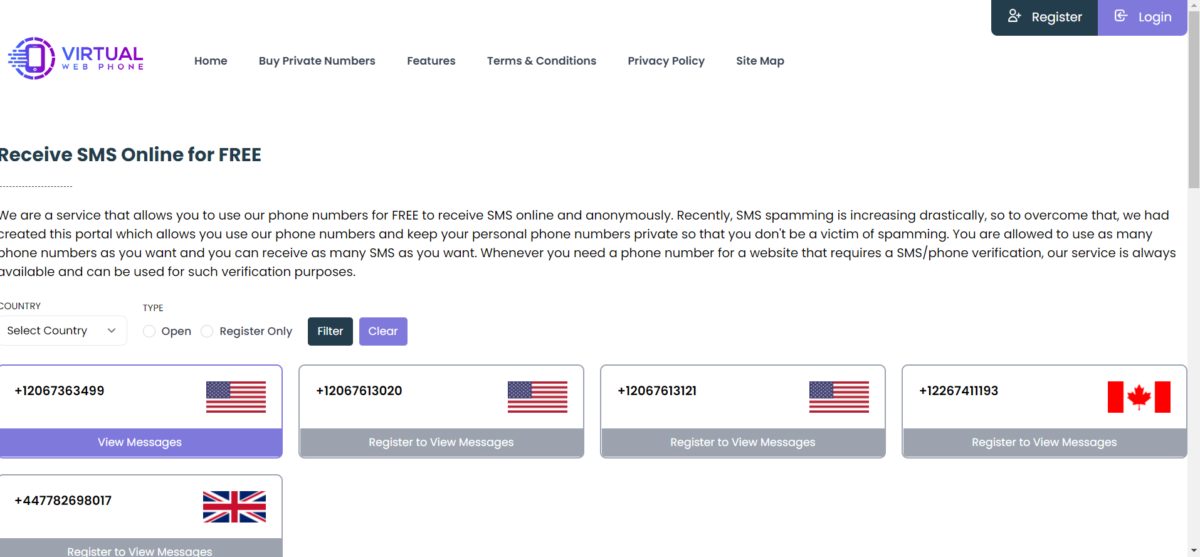
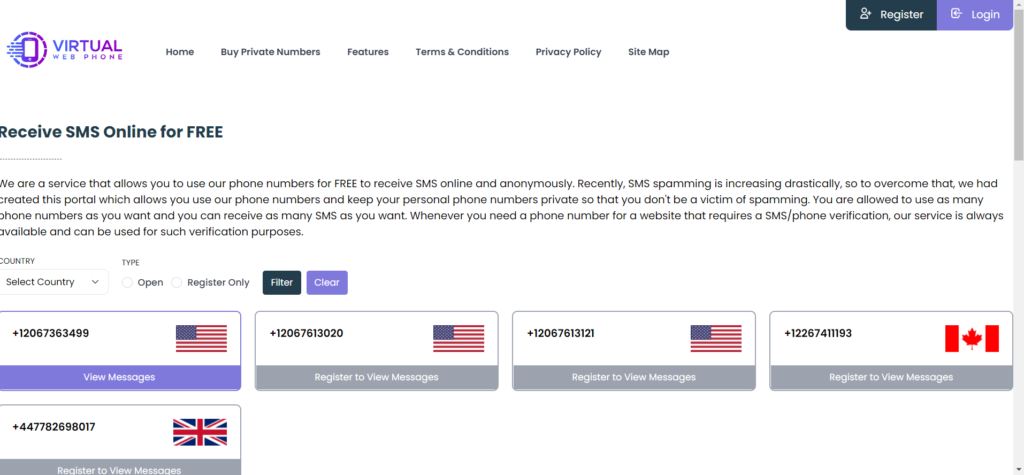
After choosing the country, you will see different phone numbers that you can use to receive SMS online.

Step #3: Start Receiving SMS on the Given Phone Numbers

So you can use these numbers on different online platforms and receive SMS on the website, as shown in the picture below.

That’s how Virtual Web works, and you can receive SMS from anywhere in the world.

Why Virtual Web?

So you must be thinking about why we recommend you to use Virtualwebphone.com when there are many other similar services available in the online market.

Following are some key features of Virtual Web that might help you to understand the reason why we are recommending it:

Virtual Web Respect your Privacy:

Virtual Web is the best website to send SMS online, as it respects your privacy. You don’t have to worry about your data being leaked or misused by any third party.

It does not ask for your personal information to sign up like other platforms. You can enter your email to register and get started with the service. The company does not store any data about you or your email on its servers.

That is why you can feel free to use the service and don’t have to worry about your privacy being compromised.

SMS Receiving is Free:

The best part about using Virtual Web is that it allows you to receive SMS online for free. You can receive unlimited messages without paying any extra charges or fees. No hidden costs are involved with using this service, so you can use it freely without worrying about any additional charges coming out of your pocket.

Besides, it also provides you with different country’s phone numbers to receive your messages from any country in the world.

That is why Virtual Web is considered one of the most convenient platforms.

Quick and Easy Operation:

The Virtual Web platform’s process is quite simple and easy to follow. You need to create your account on the website, choose a number from different countries and then give the phone number to a different website or loved ones. After doing so, you can start receiving messages from your friends and loved ones located far away.

Beginner Friendly User Interface:

The Virtual Web platform has a user-friendly interface that beginners can easily use. The website has been designed to provide you with all the necessary information about the services offered on its homepage and inside the account area.

You can also check out different plans available for SMS sending on its website to select one according to your needs.

FAQs

We know you must have lots of questions in your mind after reading the above guide. So, here is some most common questions that may help you know everything about receiving SMS without a phone number online.

Can I Receive SMS Without Mobile?

Yes, you can. If you cannot do it on your phone, it’s possible with the help of an internet-based service. All you have to do is get a device connected to the internet and follow the above steps.

Can I Text Without Phone Number?

Yes, you can. You can send and receive unlimited text messages online without the help of any mobile phone number. The only thing you have to do is go to Virtual Web and follow the above-given guide.

Conclusion

We hope you must have learned how to receive SMS online without a phone number. VirtualWeb is an online platform that provides a facility to receive SMS worldwide. So, you can use this platform when in need of receiving SMS online without a phone number.

How to Get Free USA Phone Number for receive SMS online?

Are you looking for free USA phone number for mobile verification or any other purpose? It is now easy to do. You can easily find various virtual USA mobile numbers to do your important tasks. Doing this will help you to stay away from spam SMS which you will get whenever you feed your numbers for the registration.

Also, your personal number will be fully safe and secure. You can use this number for doing any type of work on any website. There are some websites, which allow only USA mobile numbers while the registration. So, at that time, if you do not have the one, you will not get access to that platform.

So, we are here to help you to get the free USA phone numbers using simple methods and platforms. These platforms are fully tested and trusted for providing the best free phone number services to the users. So, let’s have a look at the ways to get those phone numbers easily.

Get a free USA Mobile number Online?

Free Temp SMS is one of the greatest ways to get free USA phone numbers easily without paying anything to anyone. You will have access to not the only the USA but the numbers for different countries including Canada etc. The platform is easy to use. Also, the latest numbers keep updating on the platform. There is a 100% guarantee that these numbers will work for sure. Once you are on this website, you do not have to wander here and there in search of free phone numbers. These numbers will allow you to receive any type of SMS including OTP and verification SMS. So, in this way, FreeTempSMS becomes the best options to get these free mobile number on quickest and reliable ways.

Why to Use Free Disposable Phone Numbers

Disposable phone numbers are those numbers which might be used to call or message a person virtually. Once the task is finished, both you could get rid of the variety and it automatically gets disposed of. In this submit, we’ve mentioned Disposable Phone Numbers with a huge form of features and use. In this article, we will explain why to use free disposable phone numbers.

There are huge forms of reasons to use a disposable phone number. Some of the most popular reasons for the use of such phone numbers are listed underneath:

  • For example, you need to market it something for sale on Craigslist. There you need to contact the consumer some of times to make sure him concerning the high-quality and convince him to buy your product. But you won’t want to offer your non-public smart phone quantity. Thus, you may get a disposable phone variety to apply right here. As quickly because the product is bought out, you may remove the variety.

Why You Should Consider Using Virtual Phone Number for SMS

There are several reasons for which you should utilize virtual phone number for SMS. We all send and receive SMS for various purposes. But the concern arises when we use the SMS (Short Message Service) for promotional or other non-personal uses. Whenever we feed our mobile numbers for the verifications on any website, we might be targeted with different types of hassles. These hassles could be the promotional SMS, unwanted calls, SMS spamming or number leakage. We can give any name to these shady SMS techniques. But, there is a way out for every issue on the internet. There are various platforms giving you access to temporary mobile numbers. These mobile numbers could be used for various purposes. Temporary mobile numbers work like the ordinary numbers but the difference is that you use these number for once for the sake of verification or external uses.

There are different benefits of using these temp mobile numbers which we are going to know in this article. We will know why you should consider using a virtual phone number for SMS.

Good for Temporary Conversations

If you want to have temporary conversations with any marketer, client of a freelancer, you will never want to share your original number. These temporary mobile numbers are best for these purposes. Temporary mobile numbers will allow you to make the conversations effectively without letting anyone know about it. Once the desired task is completed, forget about the number. It’s just as simple as that. But, this thing can actually help you a lot to save your number from unwanted social exposure.

Best way to receive SMS online using free phone number

The internet is full of various solutions for nearly everything we need. Whatever your requirements are? You will surely find a solution on the internet. If you are familiar with this vast field, you must be aware of the word spamming too. SMS spamming is one of the most discussed and reported things in today’s marketing world. Those unnecessary SMS rings when we do not need them could be so frustrating. And when they do not have any link with your business, the frustration increases a lot more. If you are a victim of these think, you surely have tried to get rid of these things. Fortunately, there are various possible solutions to this issue. Among various options for this problem, the temporary mobile number of websites are best to utilize. In this article, we will try to explain, how best way to receive SMS online using free phone number.

Rather than blocking those number, again and again, you can utilize a wonderful website available on the internet known as FreeTempSMS. This amazing platform will give you free disposable phone numbers to utilize for various purposes. According to the regions from where you are doing the registrations, you are free to use any mobile number given by free phone number service. In this article, we will discuss the process of using those numbers and also their features.